Why Do Bulbs Burn Out? A 2026 Troubleshooting Guide
Discover the top reasons bulbs burn out and how to prevent it with practical checks, safety tips, and a step-by-step approach homeowners can follow to keep lighting reliable.


The most likely causes are heat buildup, voltage fluctuations, and loose connections. The quickest fix is to replace with the correct wattage bulb and inspect the fixture for overheating or faulty wiring. If the issue repeats, consider upgrading fixtures or adding surge protection and opting for LED alternatives.
Why bulbs burn out: root causes and consequences
When homeowners ask, 'why do bulbs burn out,' there are a few common culprits. According to Bulb Fix, most burnout comes from heat buildup and voltage fluctuations rather than a single defective bulb. Excess heat shortens filament life in incandescent bulbs and stresses LED drivers; frequent on/off cycles accelerate wear in nearly all bulb types. Poor ventilation in enclosed fixtures compounds heat, while loose sockets or corroded contacts create intermittent connections that hasten burnout. Inexpensive bulbs often fail sooner because of subpar materials and inconsistent quality control. Understanding these forces helps you pick the right bulb, install it correctly, and plan for safer, longer-lasting lighting.
Quick checks you can do safely (before you swap bulbs)
Start with the simplest steps and move methodically. First, ensure power is off at the switch and, if possible, at the breaker. Check the bulb type and wattage against the fixture label; replace with the recommended rating. Inspect the socket for signs of corrosion, looseness, or discoloration, and tighten or replace as needed. Look for overheating signs such as melted bases or scorch marks, and verify there is adequate ventilation around the fixture. If the fixture uses a dimmer, confirm compatibility with the bulb type, as incompatible dimmers can shorten bulb life. Finally, try a known-good bulb of the correct type to rule out a faulty replacement.
How wattage, base, and fixture design influence burnout
Bulbs are not one-size-fits-all; mismatches in wattage, base type, or fixture design are common burnout drivers. Using a higher wattage than the fixture is rated for causes excessive heat, which accelerates wear. Incorrect bases can produce poor contact, leading to arcing and heat buildup. Enclosed fixtures trap heat, especially with incandescent or halogen bulbs, shortening life. For LEDs, a dimmer or ballast designed for older bulbs can stress the driver and reduce longevity. Understanding the fixture's rating and choosing bulbs that match not only improves brightness but also safety and lifespan across all bulb technologies.
Diagnostic flow: symptom → diagnosis → actions
Follow a simple, repeatable path to identify the root cause. If you see rapid burnouts, suspect heat or voltage issues. If bulbs burn out irregularly or flicker, inspect sockets and wiring connections. For a single burnt bulb, check the fixture rating and the bulb’s compatibility, then replace with the exact type. If multiple bulbs fail in a short span, test the circuit for voltage stability, add surge protection, or consider professional electrical assessment.
Fixes that prevent future burnout (practical approaches)
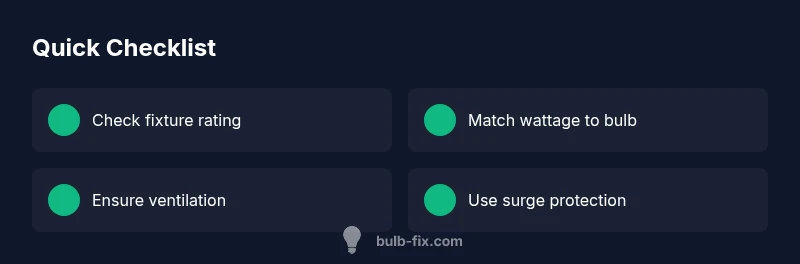
Apply fixes that address the root causes rather than just replacing bulbs. Replace mismatched bulbs with fixtures rated for the correct wattage and technology (LEDs in suitable luminaires, not on incompatible dimmers). Install a simple surge protector on circuits prone to spikes. Improve ventilation around enclosed fixtures and keep sockets clean from dust and corrosion. Consider upgrading to high-quality bulbs from reputable brands to reduce premature failure. Finally, schedule periodic checks, especially after renovations or weather-related power fluctuations.
Steps
Estimated time: 25-40 minutes
- 1
Identify symptom and fixture type
Note whether the bulb flickers, dims, or dies, and identify the fixture type and bulb base. This helps separate electrical issues from simple bulb faults.
Tip: Document symptoms and fixture details for accurate diagnosis. - 2
Power down and inspect hardware
Turn off the circuit at the breaker before handling. Check the socket, wires, and connectors for discoloration, looseness, or corrosion. If you smell burning, stop and seek professional help.
Tip: Safety first—use a tester if available before touching conductors. - 3
Check wattage, base, and fixture rating
Read the fixture label and compare with the bulb's wattage and base type. Mismatches cause overheating or poor contact. If uncertain, replace with the exact recommended bulb.
Tip: Double-check the label on the fixture or manual. - 4
Test with a known-good bulb
Install a bulb of the correct type that you know works in other fixtures. If the new bulb also fails quickly, the problem is likely the fixture or wiring.
Tip: Keep a log of results to track patterns. - 5
Replace and secure connections
Install the correct bulb and ensure all screws and connectors are tightened. Clean sockets with a dry cloth; avoid moisture.
Tip: Use a non-conductive tool to avoid shorts. - 6
Monitor and implement prevention
Observe performance for a few weeks. If burnout recurs, consider upgrading the fixture or seeking electrician assessment. Use surge protection for circuits with spikes.
Tip: Schedule regular checks and keep spare bulbs of the right type.
Diagnosis: Bulbs burn out quickly or fail soon after replacement
Possible Causes
- highVoltage fluctuations or spikes
- highExcess heat in enclosed fixtures
- mediumLoose connections or corroded contacts
- lowIncompatible wattage or bulb type
Fixes
- easyTest circuit voltage and use a surge protector
- easyReplace with the correct wattage and ensure ventilation
- easyTighten connections or replace damaged sockets
- easyUpgrade to high-quality bulbs and verify fixture compatibility
Got Questions?
What are the signs a bulb is about to burn out?
Common signs include flickering, dimming, buzzing, or a hot-to-the-touch base. If you notice any of these, replace promptly and inspect fixture.
Watch for flicker, dimming, and heat at the base.
Are all bulbs prone to burnout?
All bulbs have finite lifespans depending on heating, electrical stress, and quality. LEDs last longer with proper drivers; incandescent bulbs are more heat-sensitive.
All bulbs burn out eventually, but LEDs last longer with proper use.
Does switching on/off frequently shorten bulb life?
Yes, rapid cycling increases wear on filaments and drivers, especially with fluorescent and halogen bulbs.
Frequent switching wears bulbs faster.
Do LEDs burn out like incandescent bulbs?
LEDs degrade over time and may dim rather than burn out. Heat management and drivers matter as much as the LED itself.
LEDs degrade more slowly when heat is controlled.
When should I call a professional?
If you suspect wiring problems, see flickering across circuits, or scorch marks, stop using the fixture and consult an electrician.
If you see burning smell or smoke, call a pro.
How can I prevent burnout long-term?
Choose correct wattage, ensure ventilation, use high-quality bulbs, and apply surge protection; regular checks after renovations help catch issues early.
Prevention is easier than repair.
Watch Video
Key Points
- Check wattage and fixture rating first
- Address heat with ventilation and proper enclosure
- Use surge protection on problematic circuits
- Follow a diagnostic flow for safe fixes