Replacement Bulb for Epson Projector: Step-by-Step Guide
Learn how to safely replace the replacement bulb epson projector with a clear, step-by-step guide that covers compatibility checks, safety, and testing for reliable performance.


Goal: safely replace the replacement bulb epson projector, verify compatibility with your model, install the new lamp correctly, and test the projector for proper brightness and color. This quick answer highlights the essential safety steps, required tools, and a step-by-step flow so you can complete the task with confidence. Refer to your projector's model number and Bulb Fix's guidance to avoid lamp failure.
Understanding Compatibility and Safety
When you plan a replacement bulb for an Epson projector, compatibility is the first gatekeeper. Not all lamps fit every model, and using the wrong lamp can cause poor brightness, color shifts, or even damage to the projector. The Bulb Fix team emphasizes starting with the exact model number printed on the projector or in the manual. Cross-reference this with the lamp part number from the replacement bulb you intend to buy. In many cases, Epson projectors use lamp modules that include a module housing, a ballast, and a reflector; replacing the lamp as a unit helps ensure proper electrical interface and heat management. Always prioritize safety: unplug the device, allow it to cool, and work on a clean, dry surface. If you’re unsure, consult the manufacturer’s guide or Bulb Fix’s compatibility notes for your exact model. This careful approach protects the projector’s optics and electronic components while delivering reliable brightness and color accuracy.
Safety Considerations for Lamp Replacement
Lamp replacement involves handling hot components and fragile glass. Wear gloves to avoid skin oils that can affect sealing surfaces and avoid touching the lamp glass. Use a clean work area to prevent dust from entering the lamp housing. Keep a small container for screws and a trash bag or recycling bag for the old lamp. Some Epson lamp modules contain mercury and should be disposed of according to local hazardous-waste guidelines. Check with your local authority for disposal instructions and recycling options. Always work in a well-ventilated area and never operate the projector with the lamp housing open. These precautions help minimize the risk of burns, electric shock, and lamp breakage.
Tools, Materials, and Safety Gear You’ll Need
Having the right toolkit on hand makes lamp replacement smoother and safer. You’ll typically need a replacement lamp compatible with your Epson projector, a lint-free cloth, nitrile gloves, a clean tray or magnet for screws, and a soft brush or compressed air for dust. If your unit uses screws to secure the lamp housing, you may also need a Phillips screwdriver. A static-free work surface helps prevent static discharge to sensitive electronics. Before you start, power down and unplug, then verify that the device is cool. For ongoing maintenance, keeping a lamp inventory and documenting purchase dates can simplify future replacements, especially when you need a replacement bulb epson projector that matches your exact model.
How to Verify Compatibility and Order the Right Lamp
To avoid the common pitfall of buying the wrong lamp, always check the projector’s label for the exact model and lamp type. Some Epson models require specific wattage or ballast configurations. If you’re unsure, take a photo of the lamp housing and search the exact part number in the user manual or Bulb Fix’s compatibility guide. If you’re purchasing, choose a lamp that includes a new seal and a fresh thermal pad, as these components affect heat transfer and longevity. After purchase, inspect the lamp against the replacement lamp you removed to confirm connector alignment, screw hole positions, and seating depth. This alignment ensures secure mounting and proper electrical contact, which minimizes flicker or no-start issues. Remember: mismatched lamps can void warranties and cause premature failure.
Common Mistakes to Avoid During Lamp Replacement
Rushed replacements, touching the lamp glass, or forcing a lamp into a housing are frequent errors that can cause failure. Avoid keeping the projector powered while swapping lamps; always unplug and allow cooling time. Never use solvents on the lamp housing or seals, and never reuse old gaskets if the manufacturer recommends replacement. Misalignment of the lamp can cause improper cooling or electrical arcing. Finally, neglecting to reset the lamp timer (if prompted by the projector’s menu) can obscure lamp life estimates and complicate future replacements. By slowing down, following the model-specific instructions, and keeping a clean, organized workspace, you’ll reduce the risk of damage and enjoy consistent image quality.
Safety and Disposal Considerations for Old Lamps
Used Epson lamps may be mercury-containing and should be recycled properly. Do not throw them in regular trash; instead, follow local hazardous-waste guidelines or take them to an electronics recycling facility. After removing the lamp, seal it in a non-breakable container to prevent accidental breakage during disposal. If your lamp is damaged, handle it with care to avoid glass shards and potential exposures. For ongoing safety, store spare lamps in their original packaging and at a moderate temperature away from direct sunlight. These disposal practices protect your family and the environment while you maintain your projector’s performance.
Tools & Materials
- replacement lamp compatible with your Epson projector(Check exact model and lamp type; seek sealed, new lamps from reputable sources)
- lint-free cloth(For wiping housing surfaces; avoid leaving fibers behind)
- nitrile gloves(Protect lamp from skin oils; prevent fingerprints on glass)
- Phillips screwdriver (if screws are used)(Only if your lamp housing has screws; otherwise skip)
- small tray or magnetic dish(Keep screws and small parts organized)
- static-free mat or wrist strap(Optional, reduces risk of static damage to electronics)
Steps
Estimated time: 15-25 minutes
- 1
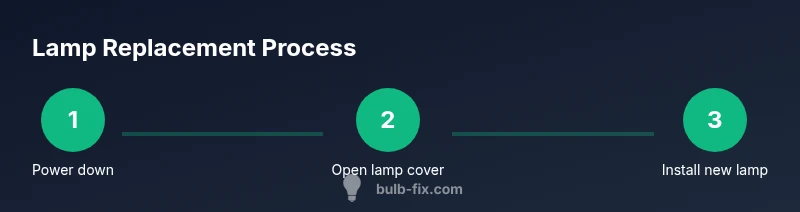
Power down and unplug
Shut off the projector, unplug the power cord, and allow the device to cool for at least 20 minutes. This minimizes burn risk and prevents shock when you handle the lamp housing. Use the chance to gather your tools and confirm your lamp part number before you start.
Tip: Label screws by location to simplify reassembly. - 2
Access the lamp compartment
On the bottom or side panel, locate and open the lamp housing cover. Some models require removing a side panel or lifting a hinged cover. Do not touch the lamp glass; use a cloth to handle nearby components and avoid accidental contact with wiring.
Tip: Keep the housing screws in a labeled dish. - 3
Release and remove the old lamp
Loosen and remove any retaining screws or latches, then slide the lamp straight out without twisting. Place the old lamp in a sealed bag for disposal. Do not drop or apply force to the lamp, as shards can cause injuries or glass fracture.
Tip: Do not touch the glass surface of the new lamp; handle by the base. - 4
Inspect and prepare the new lamp
Unbox the replacement lamp, remove any protective covers, and compare connectors and seating depth with the old unit. Ensure the gasket or seal remains intact if your model uses one. This step ensures a snug, safe fit and proper heat transfer.
Tip: Don’t reuse protective film or seals from the old lamp. - 5
Insert the new lamp
Gently slide the lamp into the bay until it seats fully. Re-secure any screws or latches, and avoid overtightening. Confirm the lamp is aligned with the connectors so power can flow properly when you test.
Tip: Handle the lamp by the base; avoid touching the glass surface. - 6
Close, reset, and test
Reattach the lamp housing cover and any panels. If your projector prompts a lamp reset, follow the on-screen steps to reset the lamp timer. Plug in, power on, and run a test image to verify brightness and color, watching for warnings or flicker.
Tip: If there’s no image, reseat the lamp and inspect connectors again.
Got Questions?
Is it safe to replace the lamp while the projector is still warm?
No. Wait until the unit has cooled for at least 20 minutes to avoid burns. Use gloves when handling the lamp.
Wait for cooling before replacing the lamp and wear gloves to avoid burns and oils.
How do I know which replacement lamp to buy for my Epson projector?
Consult the projector’s model number and the user manual to identify the correct lamp type and wattage. If in doubt, check Bulb Fix’s compatibility guide.
Check your projector’s model number and the manual to find the exact lamp type.
Can I reuse an old lamp?
Lamp replacement typically requires a new lamp to ensure brightness and safety. Reusing old lamps risks failure.
It's best to replace with a new lamp for reliability.
Do I need to reset the lamp timer after replacement?
Yes, many Epson projectors require lamp timer reset to track remaining life. Follow the manual or software prompts.
Yes, reset the lamp timer after installation to track life.
Where can I recycle old projector lamps?
Check local hazardous waste guidelines; many lamp housings contain mercury. Use approved recycling or disposal programs.
Recycle old lamps according to local guidelines; many contain mercury.
Watch Video
Key Points
- Verify model compatibility before purchasing.
- Use gloves and avoid touching the lamp glass.
- Follow safety steps and reset lamp timer if prompted.
- Dispose of old lamps responsibly and recycle where possible.