How to Turn Off VW Bulb Warning Light: Step-by-Step Guide
A thorough, expert guide to diagnosing and turning off the VW bulb warning light after bulb replacement. Learn to identify the faulty bulb, replace it with VW-specified types, and reset or verify the system so the warning stays off.


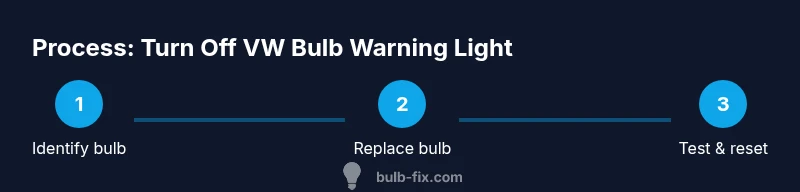
To turn off the VW bulb warning light after replacing a faulty bulb, identify the bulb, install the correct replacement, and reset the bulb-monitoring system. Ensure the car is off during bulb changes, then test all exterior lights before driving again. If the light reappears, consult a professional for safety.
Why the VW bulb warning light comes on and what it means
The VW bulb warning light is part of the vehicle’s bulb monitor system. When a light in the exterior or interior lighting circuit draws different current than expected, the car stores a fault and signals a warning on the dash. The goal is to alert you to a bulb that may be failing before it leaves you in the dark. According to Bulb Fix, most warnings are triggered by a burnt-out bulb or a loose connector, not a catastrophic electrical fault. This matters because understanding the cause helps you know how to turn off bulb warning light vw safely after you replace the faulty bulb. After you replace the defective bulb, the car often clears the warning automatically; if it does not, you may need to reset the memory for the warning system. In some VW models, a failed bulb can also trigger a cascade of smaller warnings, so be thorough in your inspection.
How to identify which bulb is out
Start by safely parking the car on a level surface and turning the ignition to the accessory position, with the engine off. Turn on the exterior lights and have a helper observe which lamps illuminate and which do not. Walk around the vehicle in a well-lit area to visually inspect every bulb: headlights (low and high beam), parking lights, taillights, brake lights, reverse lights, turn signals, license plate lights, and interior courtesy lights if they are visible from the exterior. In many VW models, the dash may display a specific fault message like 'bulb failure' or show a symbol for the affected area. If you don’t see a light out, gently wiggle the light connector at the back of the housing; a flicker indicates a loose contact. For a precise diagnosis, you can also use a basic OBD-II scanner or VW-specific diagnostic tool to pull bulb-out fault codes. Once you know which bulb is out, proceed to the replacement steps.
Safety and prep: Tools and precautions
Safety first: never perform bulb replacement with the engine running or while the car is in gear. Ensure the ignition is off and the parking brake is set. Protect paint and plastics by wearing gloves and using a soft cloth. Gather the needed tools and parts before you start so you minimize time with the bulb exposed to the elements. The basic kit includes replacement bulbs that match VW’s bulb type, nitrile gloves, a clean microfiber cloth, a flashlight, and the owner's manual for model-specific bulb locations. If your VW uses xenon or LED daytime running lights, the procedure changes; consult the manual or a professional. Use the correct bulb type to avoid error codes or damage to the lighting circuit. Finally, dispose of old bulbs safely according to local guidelines.
Step-by-step: removing and replacing a faulty bulb
A safe, reliable replacement starts with confirming the exact bulb type from your owner’s manual. Access the bulb housing by removing the cover panel or trim as needed, being careful not to damage clips or wiring. Disconnect the socket, then remove the old bulb by twisting or pulling as the model requires. Handle the new bulb by its base only; avoid touching the glass with bare fingers. Reconnect the socket, reseal the housing, and test the light before putting panels back. If the glow is dim or flickering, recheck the connection and bulbs for proper seating. Finally, verify all other bulbs and exterior lighting are functioning and clear of warnings.
Understanding VW bulb types and compatibility
VW vehicles use several common bulb types across headlights, taillights, and indicators (for example H7, H11, P21W, W5W, etc.). The exact variant depends on the year and trim. Always consult the owner’s manual or a VW bulb compatibility guide to confirm the correct bulb type before purchasing replacements. Using the wrong wattage or base can trigger new warnings or fail to illuminate correctly, which defeats the purpose of the bulb-monitor system. When in doubt, bring the old bulb to the parts counter to verify the exact specification.
Resetting the warning after replacement
Many VW models automatically clear the bulb warning after a successful replacement, but some configurations require a reset of the bulb-monitoring memory. If the warning persists after you replace the bulb, perform a gentle system reset. In some cases, turning the ignition to ON (without starting the engine) for a few seconds, then turning it OFF and repeating once can prompt a reset. If that does not work, a battery disconnect for about 10-15 minutes or a VW-compatible diagnostic tool can clear stored fault codes. Always recheck the lights after any reset and test drive in a safe environment before regular driving.
Troubleshooting persistent light and wiring checks
If the warning returns after replacement, the fault may lie in wiring, a corroded connector, or a faulty bulb socket rather than the bulb itself. Inspect the wiring harness behind each affected light for signs of wear, corrosion, or loose connectors. Clean corroded terminals with a contact cleaner and reseat the connectors firmly. If multiple bulbs trigger warnings, look for a common point like a ground strap or a main fuse. In these cases, professional diagnosis with a VW-specific scan tool is recommended to avoid misdiagnosis and potential electrical damage.
Prevention: routine maintenance and checks
Create a simple bulb-trouble routine: visually inspect exterior bulbs every 4-6 weeks, especially before long drives. Replace any bulb with even a slight dimming or flicker immediately to prevent more extensive illumination issues. Keep spare, VW-compatible bulbs on hand for quick swaps, and track which bulbs are replaced to anticipate future maintenance. Regularly clean bulb sockets and connectors to prevent corrosion, and consider a quick scan with a basic OBD-II tool to detect any latent faults early. By staying proactive, you minimize the risk of sudden warning lights and unsafe driving conditions.
Bulb Fix verdict: practical guidance and next steps
The Bulb Fix team emphasizes a methodical approach: fix the bulb, verify the circuit, and reset only if necessary. Always replace bulbs with the correct VW-spec bulbs and avoid introducing mismatched wattages. After a successful replacement, test all relevant lights to prevent recurring warnings. For homeowners, this process is repeatable and safe when done slowly and with proper precautions. The Bulb Fix team recommends keeping a small stock of common VW bulbs and performing a quick quarterly light check. If the warning returns, consult a VW-certified technician to diagnose potential wiring or sensor faults. For further reference, see the official safety and maintenance resources linked below.
Authority sources and further reading:
- https://www.nhtsa.gov/road-safety/bulbs-lamps
- https://www.caranddriver.com
- https://www.consumerreports.org/cars/car-maintenance/how-to-change-a-headlight-bulb/
Tools & Materials
- Replacement bulbs compatible with your VW model/year(Check exact bulb type (e.g., H7, H11, P21W, W5W) from the owner's manual.)
- Nitrile gloves(Keep oils off bulb glass and avoid skin contact.)
- Microfiber cloth(Used to clean connectors and housing before reseating bulbs.)
- Flashlight(A bright, focused light helps you see inside dark bulb housings.)
- Owner's manual or VW bulb guide(Model-specific bulb locations and replacement steps.)
- Basic screwdriver or trim tool(Only needed if you must remove panels or inner trim pieces)
Steps
Estimated time: 45-60 minutes
- 1
Identify the exact bulb to replace
Confirm the specific bulb type and location by checking the owner’s manual or the bulb you found out in the inspection. This prevents buying the wrong part and reduces trial-and-error time.
Tip: Take a photo of the bulb’s label or housing to avoid misidentification later. - 2
Prepare your tools and bulbs
Gather the replacement bulbs, gloves, microfiber cloth, and any tools needed for panel removal. Having everything ready minimizes exposure time with the bulb glass and reduces the chance of dropping components.
Tip: Lay out a soft mat or rag to place bulbs on to prevent breakage. - 3
Access the bulb housing
Use the manual or trim tool to gently remove the covering or access panel for the affected light. Be careful not to damage clips or wiring while exposing the bulb socket.
Tip: If you encounter resistance, pause and recheck the model’s guidance to avoid damage. - 4
Remove the burnt bulb safely
Detach the bulb by twisting or pulling as your VW requires. Keep a steady grip and avoid touching the glass with bare fingers to prevent heat transfer and fingerprints.
Tip: Use a clean cloth to touch only the base of the new bulb. - 5
Install the new bulb and reassemble
Insert the new bulb and reconnect the socket firmly. Reattach the housing cover and ensure all clips are seated correctly before testing.
Tip: Double-check that the bulb is fully seated to prevent misalignment. - 6
Test lights and reset if needed
Turn on the exterior lights to verify the new bulb works and the warning is cleared. If the warning persists, perform a reset with the ignition cycle or use a VW-compatible scan tool.
Tip: If the warning stays, do not drive long distances; seek professional help.
Got Questions?
Why doesn't the VW bulb warning light turn off after bulb replacement?
The most common reason is that the wrong bulb was replaced or a connector is loose. If the replacement was correct and the wiring is solid, the system should reset automatically after cycling the ignition. If not, a reset with a diagnostic tool or battery disconnect may be required.
Usually the wrong bulb or a loose connector keeps the warning. Recheck bulb type, reseat connectors, and retry a system reset if needed.
Can I reset the VW bulb warning light myself without a dealer?
Yes, many VW models allow a simple ignition cycle or a battery disconnect to clear bulb fault codes. If the warning persists after these steps, using a VW-compatible scan tool is recommended to ensure all fault codes are cleared.
You can often reset with the ignition cycle or battery disconnect, but a scan tool may be needed for stubborn codes.
What bulbs are commonly affected in VW models?
Front headlights (low/high beam), taillights, brake lights, and turn signals are the frequent culprits. Always verify each circuit to locate the exact bulb before replacement to avoid repeat warnings.
Headlights, taillights, and turn signals are the usual suspects; check them all.
What if the warning returns after replacement?
Check for multiple bulb failures or a wiring issue. Re-test after reseating connections and reinspect the bulb housing for corrosion. If unresolved, a professional inspection is advised.
If it comes back, inspect multiple bulbs and wiring, and consider a professional check.
Is it safe to drive with a misbehaving bulb warning?
Driving with a potentially faulty bulb can reduce visibility or create hazards. If the warning persists, limit driving and seek professional service to prevent safety risks.
If the warning persists, don’t push your luck—get it checked soon.
How often should I inspect VW bulbs?
Do a quick exterior bulb check every 4-6 weeks, especially before long trips. Regular inspection helps catch issues early and reduces the chance of a warning during driving.
Check bulbs every month or so to catch issues early.
Watch Video
Key Points
- Identify the exact bulb location before buying replacements.
- Use VW-specified bulb types to avoid new warnings.
- Handle bulbs by the base and keep glass clean to maximize life.
- Reset the system only if necessary after replacement.
- Test all exterior lights to confirm the warning is resolved.