How to Replace a Frigidaire Oven Light Bulb
Master safe Frigidaire oven light bulb replacement with model-specific guidance, essential tools, and a clear step-by-step process to keep your oven lit and functioning.


Learn how to safely replace a Frigidaire oven light bulb, identify the correct bulb for your model, and avoid common mistakes. Power down the oven, remove the bulb cover, and install a compatible appliance bulb before testing the light. This guide covers tools, steps, and safety tips to keep your oven illuminated and functioning.
Why the Frigidaire Oven Light Bulb Replacement Matters
According to Bulb Fix, a functioning oven light is essential for evenly monitoring cooking progress, especially when checking browning and avoiding under- or overcooked dishes. A faulty bulb can hide undercooked centers or over-browned edges, leading to disappointing meals. Keeping the right bulb in place also prevents unnecessary heat exposure or damage to interior components caused by repeated use of the oven light without a proper bulb. In this section, you’ll learn how the bulb supports safe cooking and why a proper replacement matters for energy use, visibility, and maintenance.
Identify the Right Bulb Type for Frigidaire Ovens
Frigidaire ovens vary by model, and bulb specifications (base, wattage, and type) are model-dependent. The first step is to locate your model number (usually found on a label inside the oven cavity or on the frame near the door). With the model in hand, consult the manual or the manufacturer’s site to confirm the exact bulb type the unit requires. In general, most Frigidaire ovens use an appliance-grade bulb designed to withstand oven temperatures. Always select a bulb that matches the socket base and wattage rating specified for your model to ensure safe operation and proper illumination.
Safety First: Power Down and Handling
Before touching any interior components, turn off the oven and disconnect power if possible. If you cannot unplug, switch off the circuit breaker dedicated to the range. A cool bulb is essential; wait for the bulb and surrounding components to cool if the unit has been in use. Wear protective gloves to avoid oils from your skin transferring to the glass, which can shorten bulb life. Have a soft cloth handy to handle the bulb to minimize direct contact.
Understanding the Bulb Base, Socket, and Wattage
Bulbs for ovens typically feature a specialized base designed for high heat and vibration. The most common sockets are designed for appliance bulbs, not standard household bulbs. Regardless of the base, verify the bulb’s wattage and base type before purchasing. If your manual indicates a specific base (for example, a common screw-type or pin-type), be sure your replacement matches exactly. Mismatched wattage can burn out the socket or reduce the lifespan of the new bulb. When in doubt, replace with the same base type and a bulb rated for oven use.
Removing the Old Bulb: Access and Safe Handling
Open the oven door and locate the light cover, usually accessible from inside the cavity. Remove the cover by gently twisting or prying it free as instructed in your model’s manual. Do not force the cover—excessive force can crack the lens. Once the cover is off, grip the bulb with a clean cloth, and slowly twist counterclockwise to loosen it. If the bulb is hot, wait longer for cooling. Place the old bulb safely aside in a non-flammable container.
Choosing and Purchasing the Replacement Bulb
Purchase a replacement bulb that exactly matches the model’s requirements. Look for an appliance bulb specifically labeled for oven use or a bulb with an oven-rated wattage. If you’re not sure about the base type, bring the old bulb or the model number to the store or check the manual’s bulb section. While a standard LED is energy-efficient, many ovens require traditional incandescent or halogen appliance bulbs capable of withstanding higher heat. Avoid over-optimistic LED substitutes unless the model explicitly supports them.
Installing the New Bulb: Insertion, Tightening, and Cover
Align the new bulb with the socket and gently twist clockwise until it’s snug; avoid overtightening, which can damage the socket or bulb. Reinsert the light cover by aligning it with the housing and spinning until it locks into place. If your cover uses screws, tighten them securely but carefully to prevent cracking the plastic lens. Refit the oven door, restore power, and be ready to test the light.
Testing the Light and Resetting Controls
With power restored, turn on the oven light using the control knob or button. If the light does not illuminate, recheck the bulb seating and cover orientation. If safe operation still fails, double-check that the power is indeed on and that the bulb is the correct type for your model. If needed, test with a spare bulb that matches the exact base to rule out a blown socket.
Troubleshooting Common Issues After Replacement
If the light flickers or fails to illuminate, common causes include a loose bulb, a damaged socket, or an incompatible base. Examine the socket for signs of wear or discoloration, and ensure the bulb is fully seated. Check for a blown fuse or circuit issues if another appliance on the same line shows symptoms. If the bulb appears fine but still won’t light, contact Frigidaire support or a licensed technician for a model-specific diagnosis.
Maintenance Tips to Extend Bulb Life
Implement simple practices to prolong bulb life: avoid frequent on-off cycling, handle bulbs with care using a cloth, and inspect the socket area for corrosion or residue monthly. If you notice frequent burnout after a short period, consider whether the oven is overheating or if the bulb base is under stress from door movement. Regularly cleaning the interior around the bulb can prevent dirt from causing overheating or poor contact.
Tools & Materials
- Appliance light bulb compatible with Frigidaire ovens(Match the base type and wattage rating specified in your model’s manual.)
- Protective gloves(Wear to avoid oils on fingers touching the bulb glass.)
- Soft cloth or microfiber towel(Used to handle the bulb and cover without slipping.)
- Flathead screwdriver (optional)(Only if your model requires prying or removing a stubborn cover.)
- Owner’s manual or model number reference(Optional but highly recommended for model-specific bulb specs.)
- Step stool or sturdy chair(Needed for elevated or hard-to-reach models.)
Steps
Estimated time: 15-25 minutes
- 1
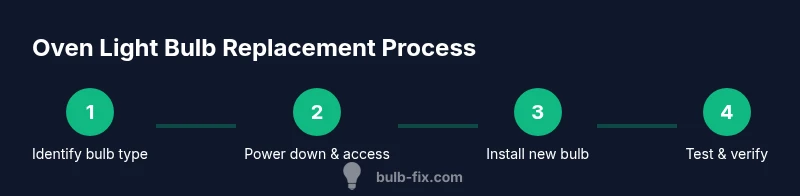
Power down the oven
Turn the oven off and unplug or switch off the circuit breaker if possible. This eliminates the risk of electric shock while handling the bulb and cover.
Tip: If you must wait for the unit to cool, plan for a 5-10 minute pause before starting. - 2
Access the light cover
Open the oven door and locate the interior light cover. Gently twist or pry the cover according to your manual, avoiding force that could crack the glass.
Tip: Use a cloth to grip the cover if it’s slippery. - 3
Remove the old bulb
Carefully grip the bulb with a cloth and rotate counterclockwise to loosen. If it’s hot, wait until it cools before touching.
Tip: Store the old bulb in a safe container away from drafts. - 4
Check the bulb base and wattage
Verify the base type and wattage required by your model. Do not substitute with a bulb that isn’t rated for oven use.
Tip: If you’re unsure, consult the manual or support before purchasing. - 5
Install the new bulb
Insert the replacement bulb aligned with the socket and twist clockwise until snug. Avoid overtightening.
Tip: Handle with a cloth to prevent skin oils from transferring to the bulb. - 6
Replace the light cover
Reattach the cover by aligning it with the housing and locking it in place. If screws were used, tighten them evenly.
Tip: Ensure no gaps around the cover to prevent heat leakage. - 7
Restore power and test
Reconnect power and switch on the oven light to verify illumination. If the bulb doesn’t light, recheck seating or try a spare bulb with the exact base.
Tip: Have a spare bulb on hand for quick testing. - 8
Troubleshoot if needed
If lighting issues persist, inspect for a damaged socket or a misaligned base. Contact support if you suspect a model-specific defect.
Tip: Document model number and bulb type to expedite support.
Got Questions?
What bulb type does a Frigidaire oven use?
Bulbs for Frigidaire ovens are appliance-grade and model-specific. The exact base and wattage vary by model, so check the owner’s manual or model number to confirm the correct bulb before purchasing.
Most Frigidaire ovens require an appliance bulb specified in your model’s manual. Check the exact base and wattage, and avoid generic bulbs.
Can I use LED bulbs in a Frigidaire oven?
LED replacements are only suitable if the model supports them. Some ovens require traditional appliance bulbs due to heat and rating considerations. Always verify with the manual.
LEDs can work if your model explicitly supports them; otherwise, stick with the oven-rated bulb.
Is it safe to replace the oven bulb myself?
Yes, with proper precautions: power off, allow cooling, wear gloves, and use the correct bulb base. If you’re uncomfortable, contact a professional.
Yes, as long as you power down and use the right bulb. If unsure, seek professional help.
What should I do if the bulb won’t light after replacement?
Double-check seating, base compatibility, and the socket for damage. If the issue persists, there may be a faulty socket or wiring issue requiring service.
If it still won’t light, check seating and base; otherwise, contact support.
How often should I replace the oven light bulb?
Replace when burnt out or if brightness diminishes. Regular checks during routine cleaning help catch issues early.
Replace when it burns out or dims; check during cleanings.
Where can I find the bulb specifications for my model?
Look in the user manual or a label inside the oven cavity or door frame. You can also search the model number on Frigidaire’s official site.
Check the manual or the label inside the oven; the model number helps you look up exact specs.
Watch Video
Key Points
- Identify the correct bulb type from the model manual.
- Power down and protect yourself before work.
- Install the bulb and cover securely, then test.
- If issues persist, check socket condition and seek help.
- Maintain bulbs and inspect the area to prolong life.