Smart Bulb vs Smart Switch: A Practical Comparison
A rigorous, data-driven comparison of smart bulbs and smart switches, covering control, cost, energy use, compatibility, and real-world use cases to help homeowners decide which upgrade fits their home.


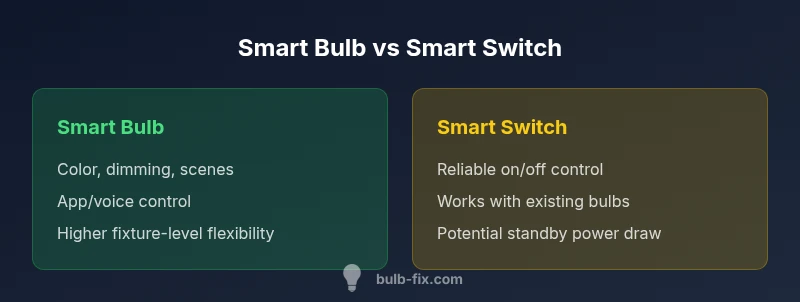
Short answer: a smart bulb offers advanced lighting scenes, color options, and app-based control, while a smart switch provides reliable on/off automation that works with most bulbs and fixtures. If your goal is ambiance, scene creation, and voice-controlled color, a smart bulb is typically the better choice. If you want simple automation with existing fixtures and fewer devices to manage, a smart switch often wins for reliability and cost.
Defining the Options: What Counts as a Smart Bulb and a Smart Switch
A smart bulb is an LED bulb equipped with wireless controls, allowing you to adjust brightness, color temperature, and even color via an app, voice assistant, or automation routines. It typically screws into a standard socket and can be used in lamps, ceiling fixtures, or track lighting. A smart switch, by contrast, is a connected device installed in place of a traditional wall switch or added into a wall plate. It controls the electrical circuit, turning the lights on or off, but the bulb’s inherent capabilities (color temperature, color, scenes) are still what you experience when the switch is on. According to Bulb Fix, the practical difference centers on control granularity and network requirements. In most scenarios, bulbs unlock richer lighting effects and per-room scenes, while switches deliver hardware-level control that works with fewer devices and less ongoing configuration. This distinction matters for households with limited Wi‑Fi coverage or for rooms where you want minimal app management.
Control, Automation, and Scenes: How They Work
Smart bulbs excel at creating atmosphere through dimming, color, and scene presets. They respond to app commands, voice assistants, routines, and geofenced triggers, which means you can tailor lighting per activity—movie night, reading, or parties. Bulbs can react to other smart devices, too, such as motion sensors, time-based schedules, or sunrise/sunset events. Smart switches deliver automation by controlling the circuit itself. They can be scheduled, triggered by a hub or routine, and integrated into broader automations without requiring every connected light to be a smart bulb. The switch can be the hub for a room’s automation, reducing the number of individual smart devices to manage. As you weigh these options, remember that the bulb’s strength lies in lighting control, while the switch’s strength lies in reliability and a simple on/off framework. Bulb Fix notes that for many homes, pairing a smart switch with non-smart bulbs still delivers dependable automation, especially in high-traffic spaces.
Cost, Installation, and Maintenance Considerations
The upfront cost differs between the two pathways. A smart bulb typically costs per lamp or fixture and can range depending on brightness, color capabilities, and brand. A set of bulbs for several rooms can add up quickly, but you gain flexible lighting control in each fixture. Smart switches, by contrast, involve a one-time cost per switch and may require professional installation if wiring changes are needed, particularly for 3-way circuits or dimming-compatible switches. Maintenance for bulbs may include replacing bulbs over time, whereas switches generally require less frequent maintenance beyond occasional firmware updates. Bulb Fix emphasizes that total cost should factor in energy usage, replacement frequency, and the value of convenience features like color scenes and voice control. For many households, the per-fixture cost is higher with bulbs, but the long-term value of lighting scenes can offset this when used frequently.
Energy Efficiency, Standby Power, and Long-Term Savings
Smart bulbs let you turn lights off completely and optimize brightness, which can shave energy use when lights are left on at duty-cycle-intensive levels. In contrast, smart switches may draw a small standby current to stay responsive. This standby draw is usually small but can add up in homes with many smart devices. The energy impact hinges on usage patterns: rooms used intensively for long periods with mood lighting may see larger savings with bulbs; spaces used briefly but often turned on by a switch may see modest gains or none at all with a switch-based approach. Bulb Fix Analysis, 2026, suggests that the energy difference is frequently a function of how many lights you automate and how often you use brightness or color features.
Reliability, Latency, and Network Demands
Reliability often favors smart switches when you want immediate, hardware-level control without depending on a cloud service for on/off commands. If your network is unreliable or has latency, a physical switch that turns the lamps on and off immediately can be preferable. Smart bulbs depend on the stability of your home Wi‑Fi or Zigbee/Z-Wave network, and firmware updates can influence response times. In a busy household with multiple devices, latency can affect scene triggering and dimming levels on bulbs. For households with spotty coverage, a hybrid approach—switch for core on/off control and bulbs for ambience—can reduce frustration. Bulb Fix’s guidance emphasizes evaluating your wireless environment before committing to a full ecosystem.
Ecosystem Compatibility: Voice Assistants, Hubs, and Platforms
Bulbs often offer richer integration with scenes, color routines, and voice assistant control. If your primary smart home strategy relies on voice and scene-based automations, bulbs may deliver a more satisfying experience. Switches integrate with hubs and controllers to extend automation to existing fixtures, which can simplify a setup when you already have a wired system in place. When choosing, consider compatibility with your preferred ecosystems (Alexa, Google Assistant, Apple HomeKit, Matter). A common recommendation is to begin with one hallway or a key room and scale gradually, ensuring that the chosen devices align with your primary hub.
Room-by-Room Scenarios: Where Each Shines
In living rooms and bedrooms, a smart bulb with color options and scenes can create immersive atmospheres for watching movies, reading, or winding down. In hallways, kitchens, and entryways, a smart switch can provide dependable, immediate control that does not rely on a network. Rooms with existing fixtures that lack neutral wires may require specific switch types or adapters. In a home office, a few bulbs with fine-grain control can mimic daylight and reduce eye strain, while a switch allows quick off-on control when you step away from the desk. Bulb Fix encourages homeowners to map rooms by usage pattern and lighting goals to optimize value.
Privacy, Security, and Best Practices
Security concerns exist with any connected device. Bulbs and switches with over-the-air updates should be kept current, and default credentials should be changed. If you’re worried about privacy or data leakage, prioritize devices that support local control without cloud dependencies, or dedicate a separate network for smart devices. Use strong, unique passwords, enable two-factor authentication where available, and keep firmware up to date. For households with children or high-security needs, assess how much data your devices collect and how it’s transmitted. Bulb Fix recommends following manufacturer guidelines and keeping a minimal, well-documented roster of connected devices to reduce exposure.
Hybrid Approaches: Combining Both for Maximum Flexibility
A balanced approach often yields the best results: pair smart bulbs in zones where you want ambiance and color, while using smart switches in spaces where reliability and fast response time are priorities. This can reduce network load and simplify maintenance. A hybrid system can also ease transitions if you’re moving between dumb lighting and smart lighting: start with switches to gain automation quickly, then gradually add bulbs for enhanced control and scenes. The Bulb Fix Team notes that this blended strategy tends to offer the strongest blend of convenience, cost control, and reliability over time.
The Decision Framework: Step-by-Step Guide for Homeowners
- Identify primary goals: ambiance and scenes vs simple automation and reliability. 2) Map rooms by usage and existing wiring. 3) Assess your network reliability and hub compatibility. 4) Estimate total cost, including potential upgrades to wiring or hubs. 5) Pilot with a small setup before expanding. 6) Revisit after a few months to adjust based on real usage and energy outcomes. Following this framework helps ensure that your choice aligns with long-term satisfaction rather than short-term novelty.
Comparison
| Feature | Smart bulb | Smart switch |
|---|---|---|
| Control method | App/voice-based, scenes, color | Physical switch with automation via hub or direct integration |
| Automation capabilities | Per-light scenes, schedules, geofencing | Room-level on/off scheduling, hub-based routines |
| Installation complexity | Plug-in/retrofit in lamp or fixture, no wiring changes | Usually plug-in or wall plate replacement; may require wiring for 3-way setups |
| Energy usage | Energy use tied to bulb operation; standby varies by model | Minimal standby; switch draws small current when connected |
| Price range | $15-$60 per bulb (color/brightness levels vary) | $20-$80 per switch (with dimming options varies by brand) |
| Best for | Ambiance, color control, multiple rooms on a budget | Reliability, simple automation of existing fixtures |
| Compatibility/voice assistants | Strong in ecosystems with bulbs; rich scene control | Depends on hub; often broader compatibility when used with existing fixtures |
Upsides
- Supports advanced lighting scenes and color control
- Flexible placement without rewiring the house
- Per-light customization can enhance ambiance
- Lower risk of broad network impact when used selectively
Drawbacks
- Higher upfront cost when equipping many fixtures
- Reliant on network stability for features and updates
- Dimming and color features may vary by brand and compatibility
A hybrid approach often delivers the best balance of ambiance and reliability
If you value lighting scenes and color, prioritize smart bulbs. If you want reliable, room-wide control with minimal device management, start with smart switches. Bulb Fix recommends evaluating usage patterns and gradually layering bulbs and switches to maximize comfort and efficiency.
Got Questions?
What is the main difference between a smart bulb and a smart switch?
A smart bulb provides lighting features like color and dimming via wireless control, while a smart switch controls the power to the circuit itself. Bulbs offer scene-based control; switches provide reliable on/off automation of existing fixtures.
Bulbs change how light looks and feels; switches control power to lights. Bulbs give scenes, switches give reliable on/off control.
Can I use both a smart bulb and a smart switch in the same room?
Yes. Using both lets you rely on the switch for quick on/off and use bulbs for color and scenes when more nuance is needed. Ensure your hub and network can manage the combined load.
Yes, you can combine them; use the switch for basic control and bulbs for ambience.
Do smart bulbs require a neutral wire?
Most smart bulbs do not require a neutral wire in standard sockets. Some switches, especially dimming models, may require a neutral in the wall box. Check wiring for your home before upgrading.
Bulbs usually don’t need a neutral; some switches may.
Are smart bulbs energy efficient?
Smart bulbs can reduce energy use through precise dimming and scheduling, but overall savings depend on usage patterns and bulb efficiency. Look for LED emissions and dimming ranges when evaluating options.
Yes, smart bulbs can save energy with dimming and schedules.
What is a good starting point for a low-budget setup?
Begin with a small set of smart switches to automate core areas and a couple of bulbs for ambiance. This minimizes upfront cost while proving the automation workflow. Expand later as needed.
Start with a few switches and bulbs, then expand as you see value.
How secure are smart bulbs and switches?
Security depends on device updates, network segmentation, and strong credentials. Prefer devices with local control options when possible, and keep firmware up to date.
Security depends on updates and network setup; keep firmware fresh.
Key Points
- Assess lighting goals: ambiance versus simple automation
- Map rooms by usage to decide where bulbs or switches shine
- Consider network stability and hub compatibility before expanding
- Plan for total cost over time, not just upfront price
- Adopt a hybrid approach when possible to maximize value